¶ Получение сетевых настроек по протоколу DHCP
Для автоматического получения сетевых настроек необходимо подключиться к устройству по протоколу ssh. Утилита «udhcp» позволяет управлять сетевыми настройками. Для вызова справки по дополнительным опциям необходимо выполнить команду «udhcp -h».
# udhcpc -h
udhcpc: option requires an argument -- 'h'
BusyBox v1.31.0 (2023-09-01 08:43:42 UTC) multi-call binary.

Usage: udhcpc [-fbqRB] [-a[MSEC]] [-t N] [-T SEC] [-A SEC/-n]
        [-i IFACE] [-s PROG] [-p PIDFILE]
        [-oC] [-r IP] [-V VENDOR] [-F NAME] [-x OPT:VAL]... [-O OPT]...

        -i IFACE        Interface to use (default eth0)
        -s PROG         Run PROG at DHCP events (default /usr/share/udhcpc/default.script)
        -p FILE         Create pidfile
        -B              Request broadcast replies
        -t N            Send up to N discover packets (default 3)
        -T SEC          Pause between packets (default 3)
        -A SEC          Wait if lease is not obtained (default 20)
        -b              Background if lease is not obtained
        -n              Exit if lease is not obtained
        -q              Exit after obtaining lease
        -R              Release IP on exit
        -f              Run in foreground
        -S              Log to syslog too
        -a[MSEC]        Validate offered address with ARP ping
        -r IP           Request this IP address
        -o              Don't request any options (unless -O is given)
        -O OPT          Request option OPT from server (cumulative)
        -x OPT:VAL      Include option OPT in sent packets (cumulative)
                        Examples of string, numeric, and hex byte opts:
                        -x hostname:bbox - option 12
                        -x lease:3600 - option 51 (lease time)
                        -x 0x3d:0100BEEFC0FFEE - option 61 (client id)
                        -x 14:'"dumpfile"' - option 14 (shell-quoted)
        -F NAME         Ask server to update DNS mapping for NAME
        -V VENDOR       Vendor identifier (default 'udhcp VERSION')
        -C              Don't send MAC as client identifier
Signals:
        USR1    Renew lease
        USR2    Release lease
Для осуществления запроса к DHCP серверу необходимо выполнить команду «udhcp –i <название сетевого интерфейса>».
# udhcpc -i eth2
udhcpc: started, v1.31.0
udhcpc: sending discover
udhcpc: sending select for 192.168.101.138
udhcpc: lease of 192.168.101.138 obtained, lease time 25200
deleting routers
adding dns 77.88.8.8
adding dns 77.88.8.1
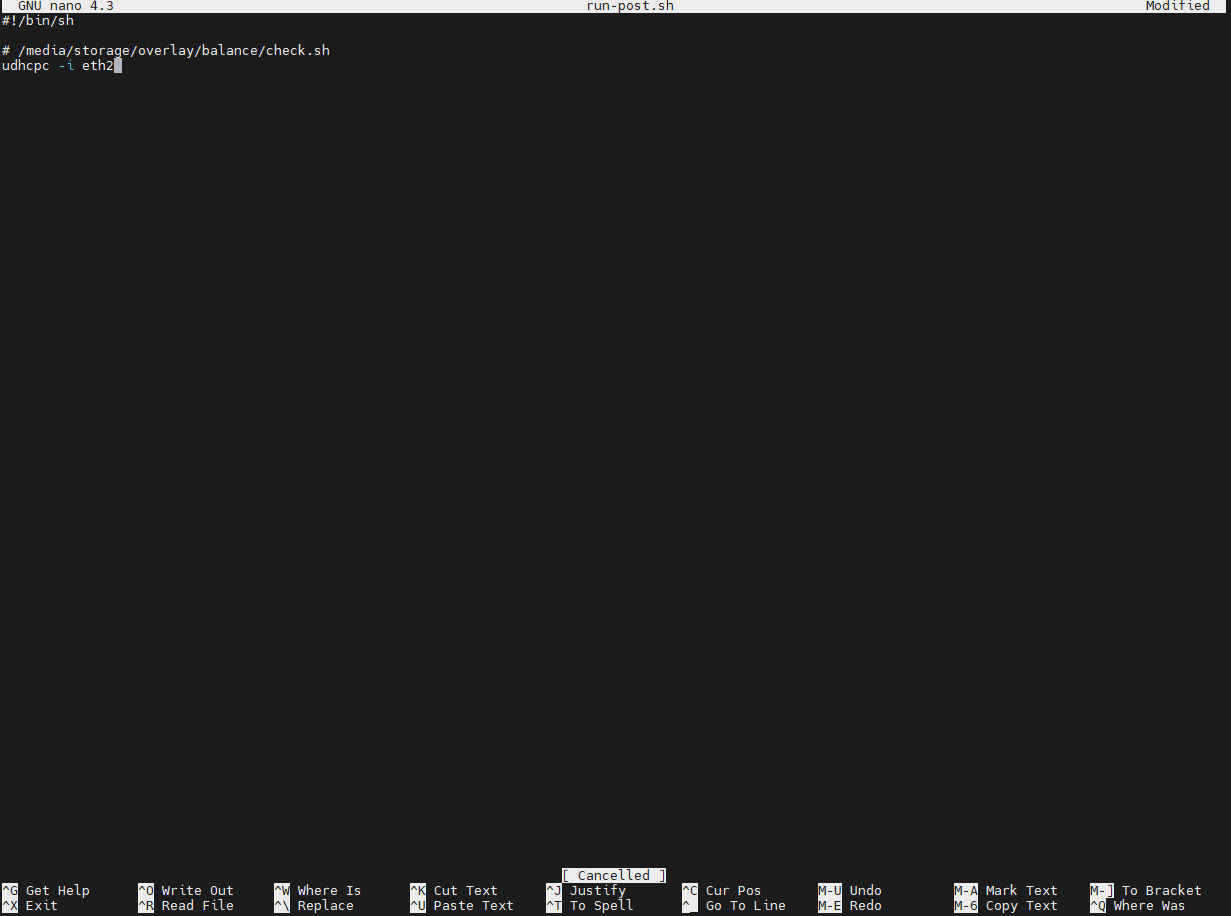
Для автоматического запуска udhcpc при загрузке устройства необходимо добавить команду в скрипт run-post.sh, находящемся в директории /media/storage/overlay.
# nano /media/storage/overlay/run-post.sh